

Hours of review. Down to minutes.
Publish your checklist, invite your churches to report, and let an AI pre-check do the first pass. Your committee reviews findings — not raw paper — while people still remember what they submitted.
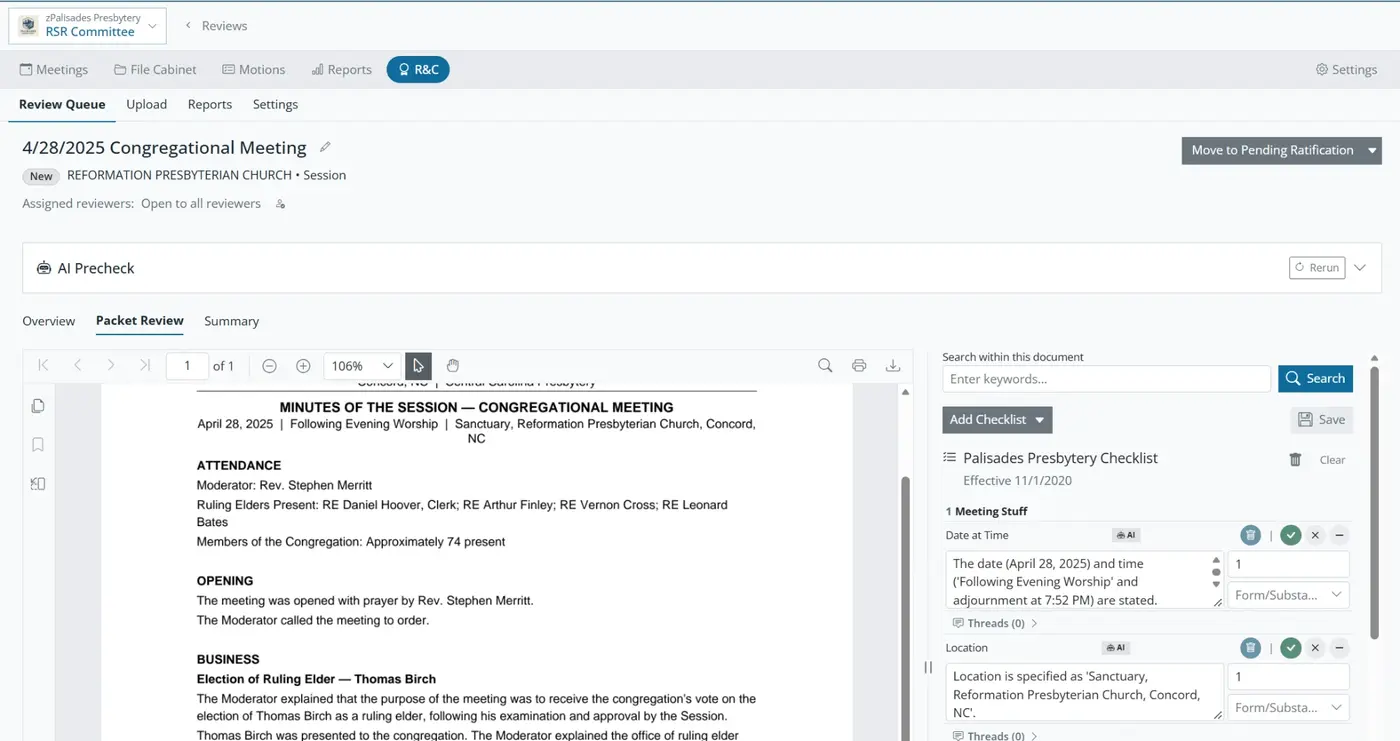
Publish your checklist, invite your churches
The review committee publishes its checklist once. Sessions submit their records for the period right inside Orderly Meetings — no mailing binders, no shared-drive scramble. (This is the Review of Session Records, what many courts still call the RSR.)
An AI pre-check does the first pass
Before a human opens the packet, the AI pre-check reads it, extracts the meeting data, and flags findings against the right checklist — noting what is a matter of form and what is a matter of substance. The committee starts from a working draft, not a blank page.
Your committee reviews findings, not paper
- See each finding side-by-side with the page it came from.
- Classify, comment, and resolve in threads.
- Accept, edit, or overrule the AI — reviewers are always in control.
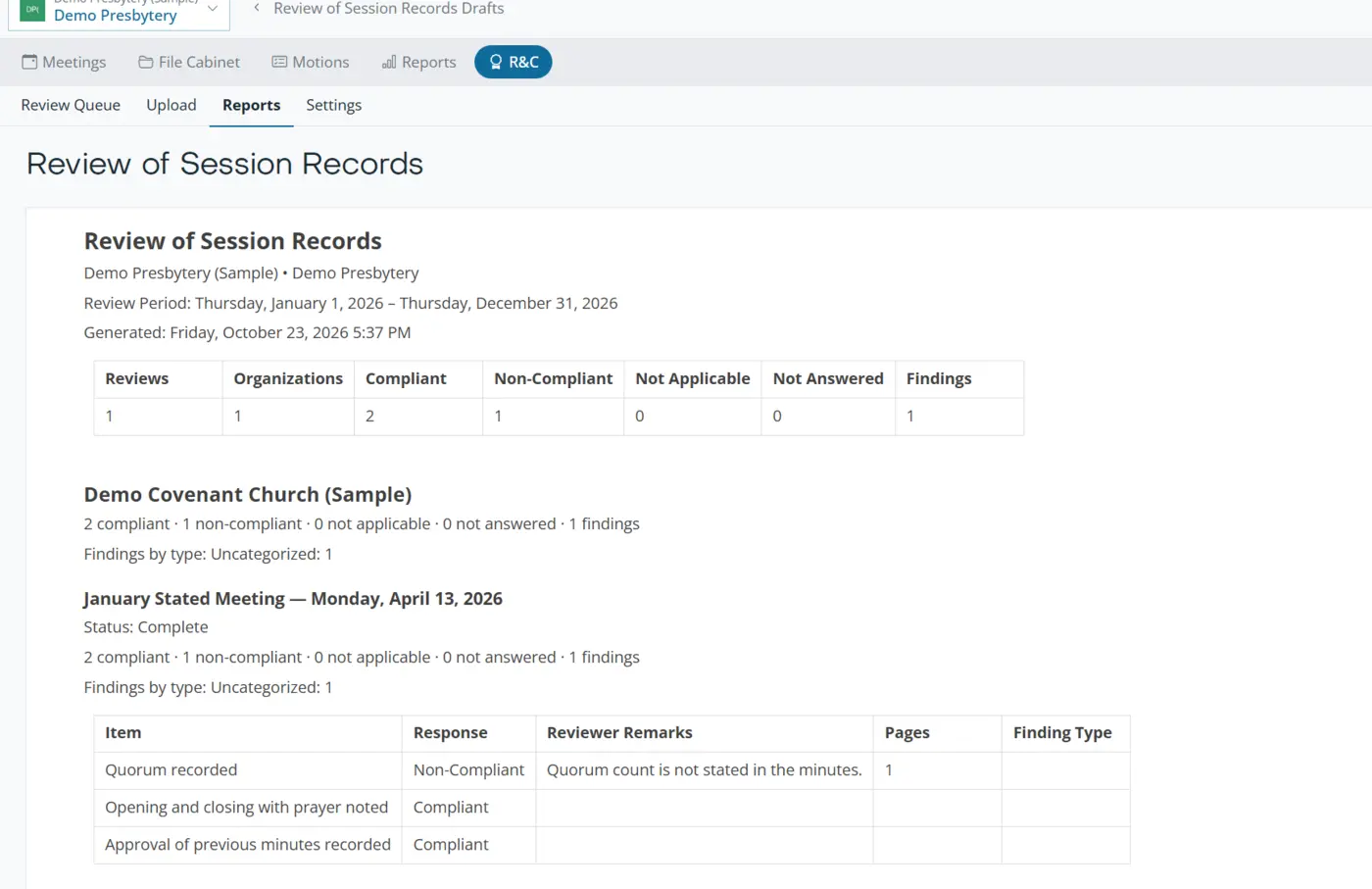
Returned in days, not years
By the time your Review of Session Records report lands, the errors are two years old.
That is the old way. With a standing checklist and an AI first pass, a 30-church presbytery can take a review cycle from roughly 215 volunteer hours to about 21 — and findings come back while the clerk still remembers the meeting.